(A) Familiarizing with the web server and data browsing
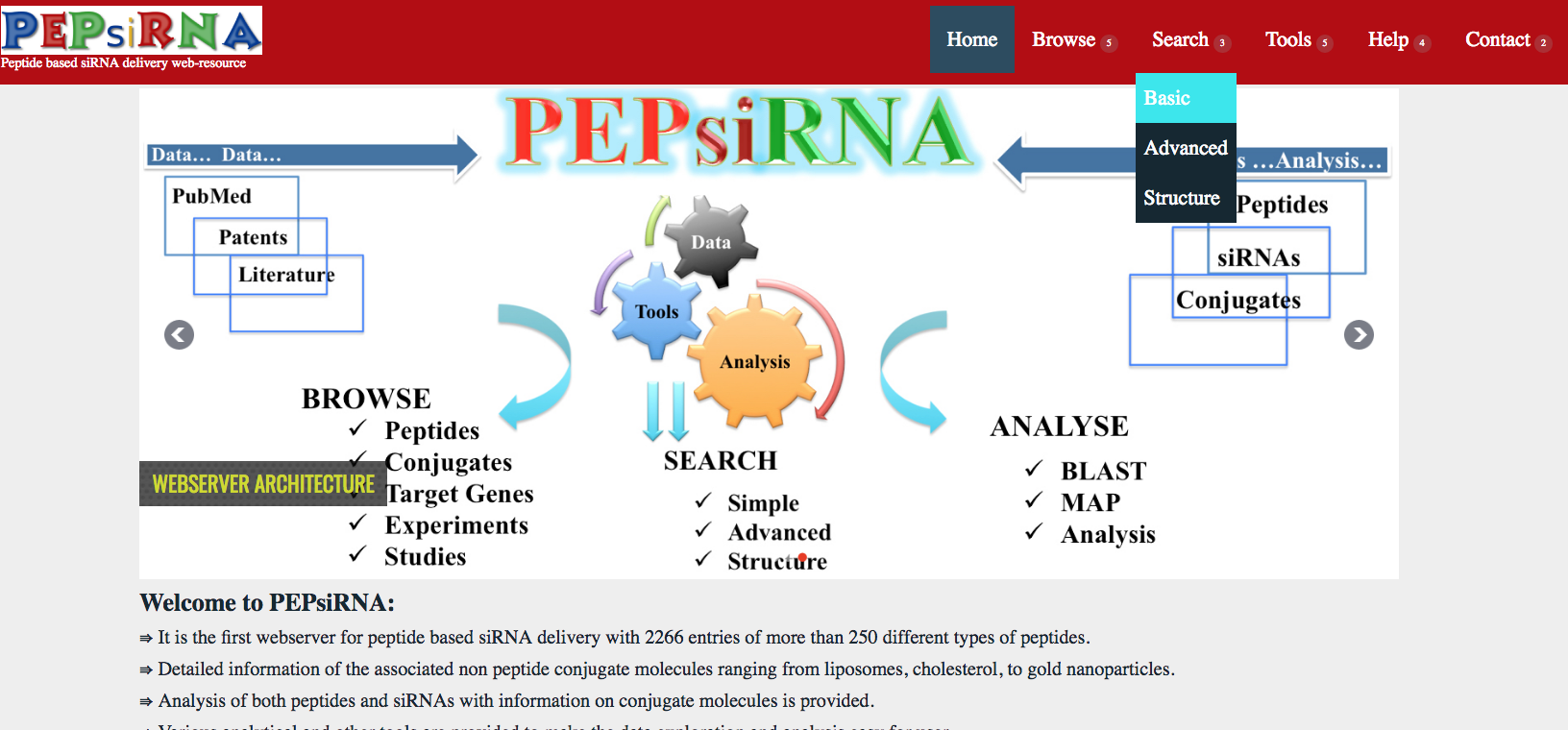
We have tried to develop the PEPsiRNA webserver in easy and user friendly way as seen from the index or home page.
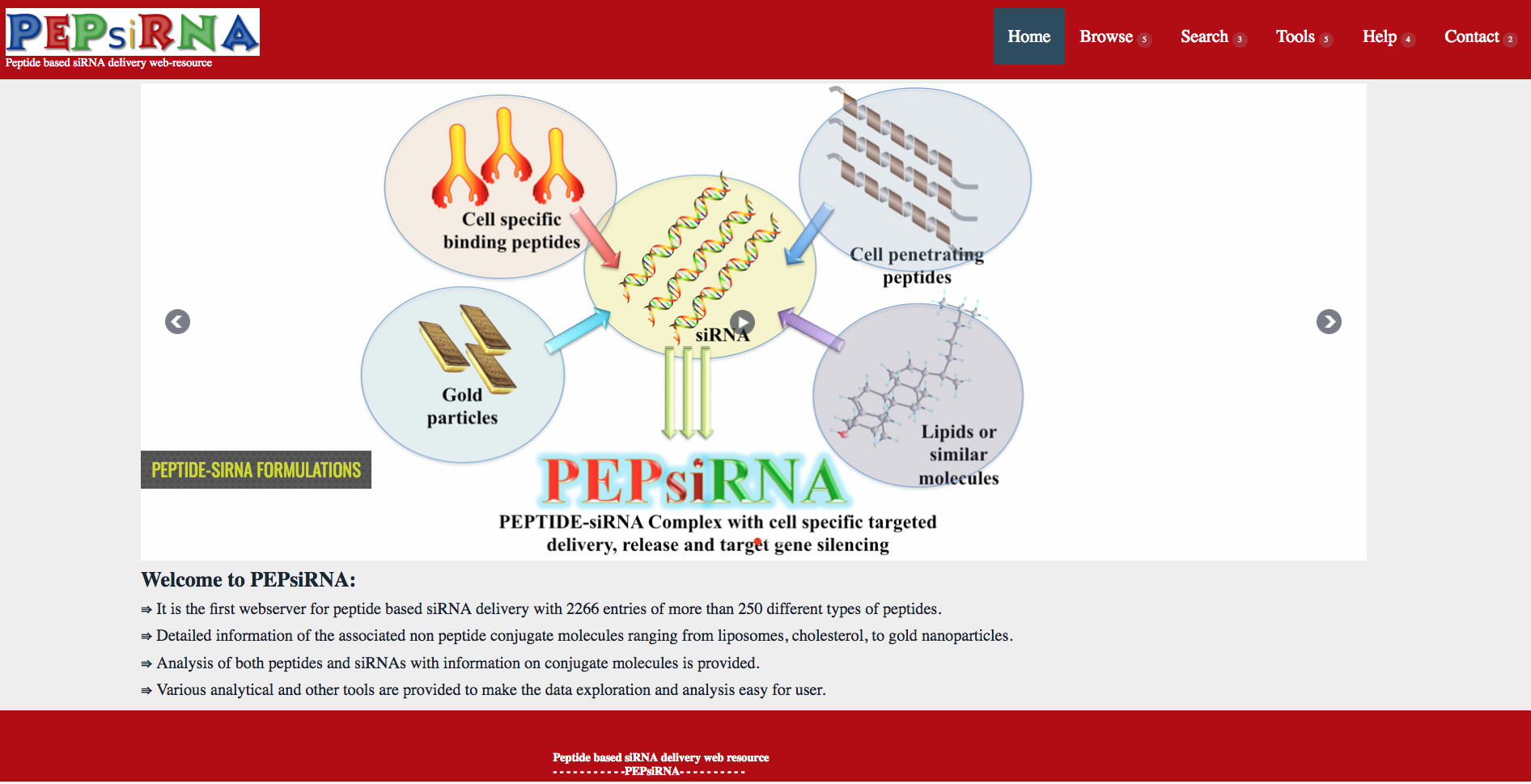
Various tabs are present in the header with options to browse the data, search the data followed by the tools to analyse the data and other accessory links under Help and contact headings.
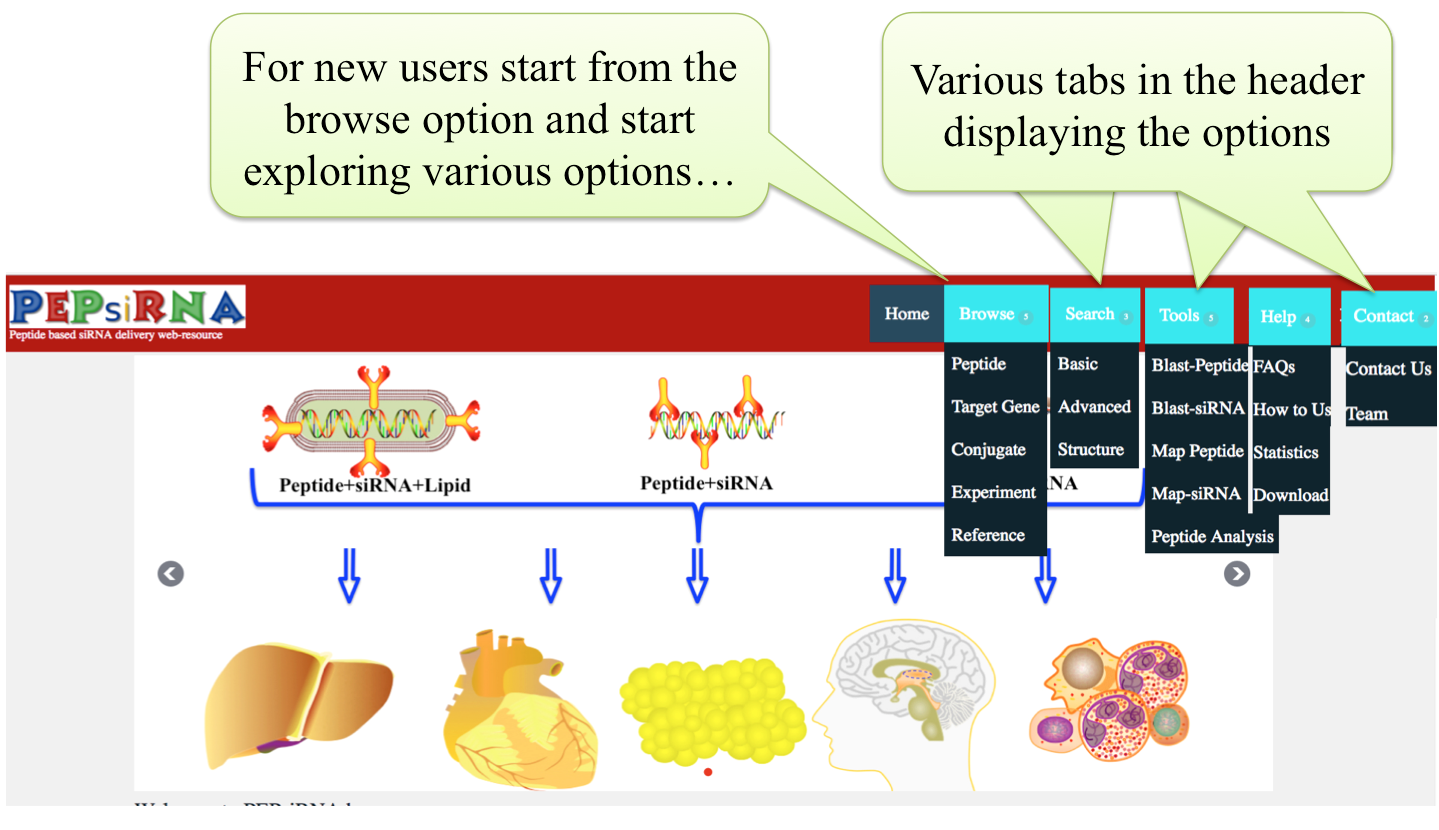
On clicking the browse options the below shown five options of data explorations are visible and can be used as per the users choice
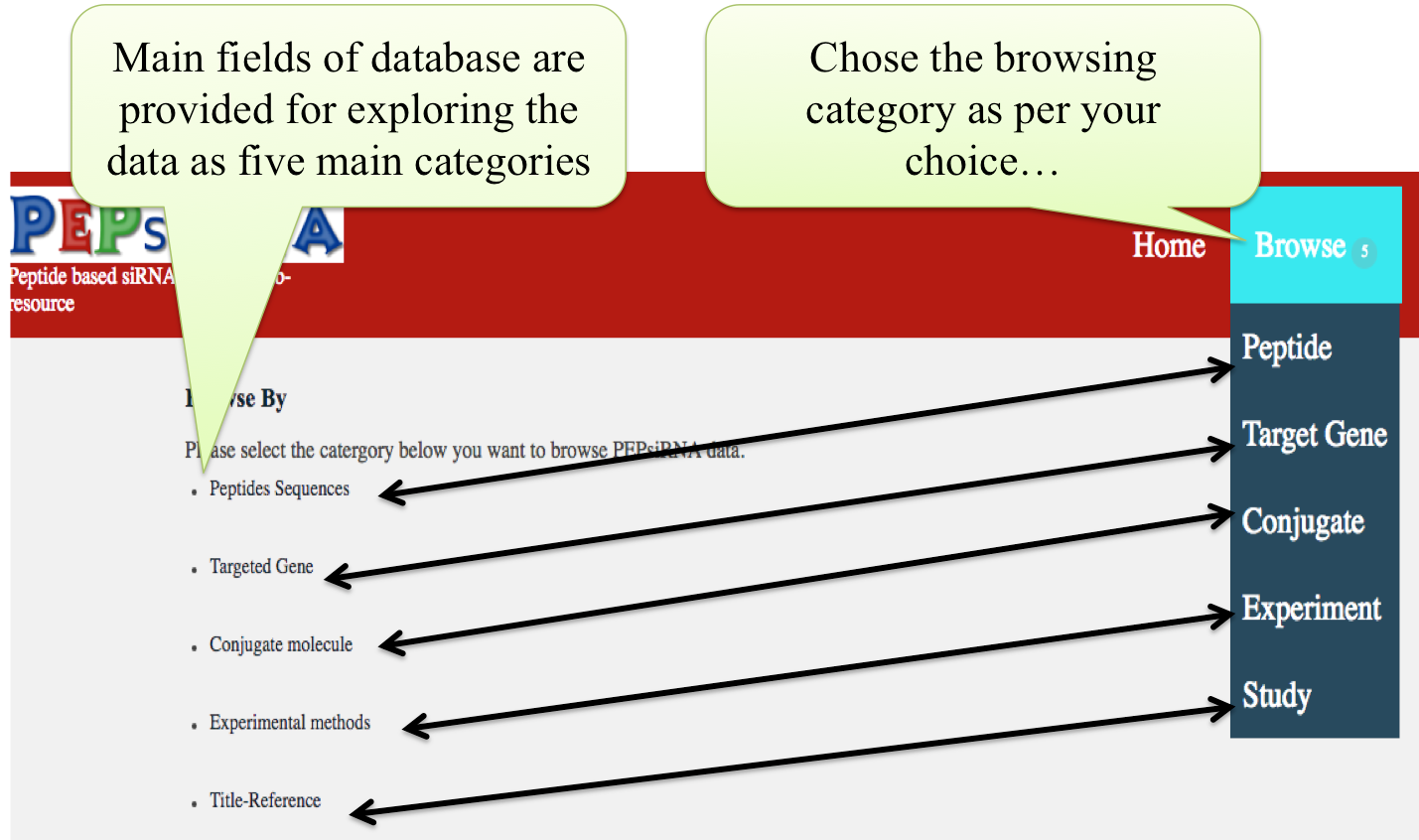
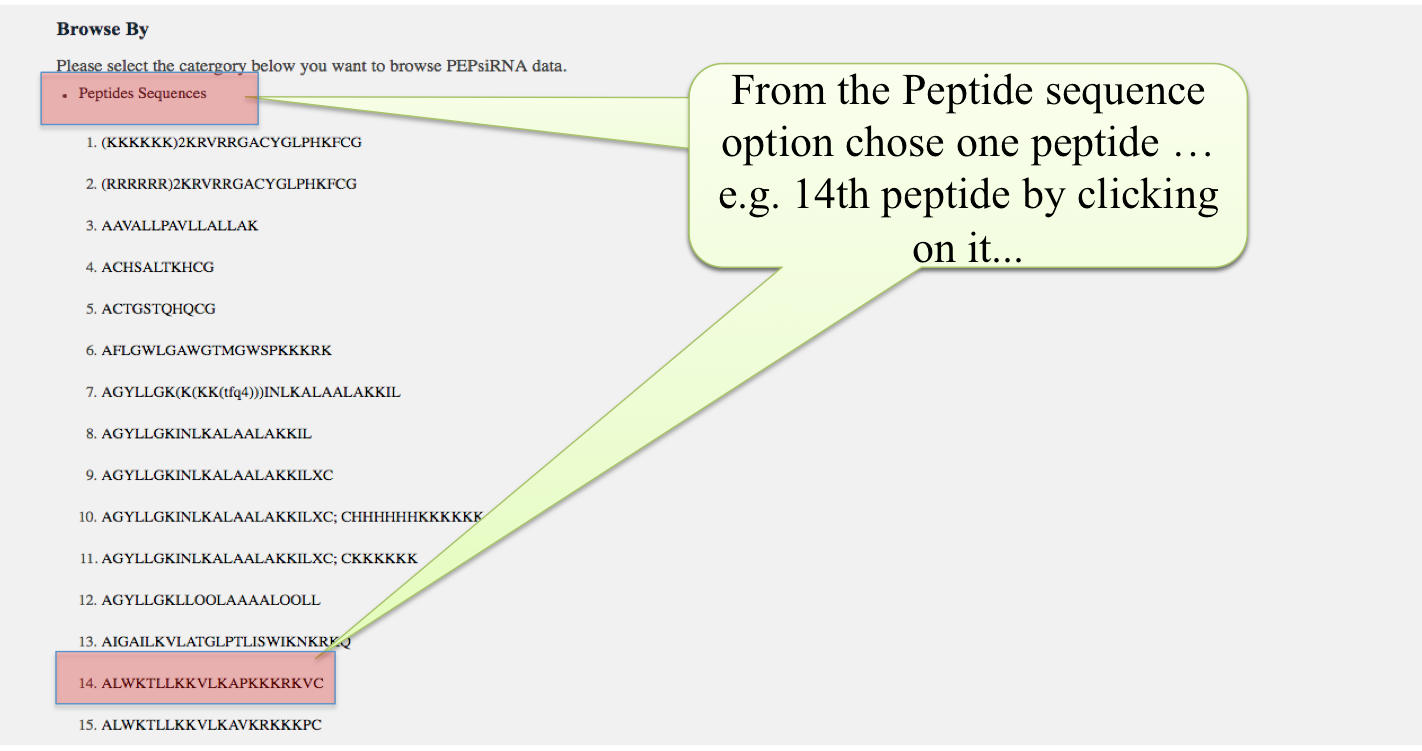
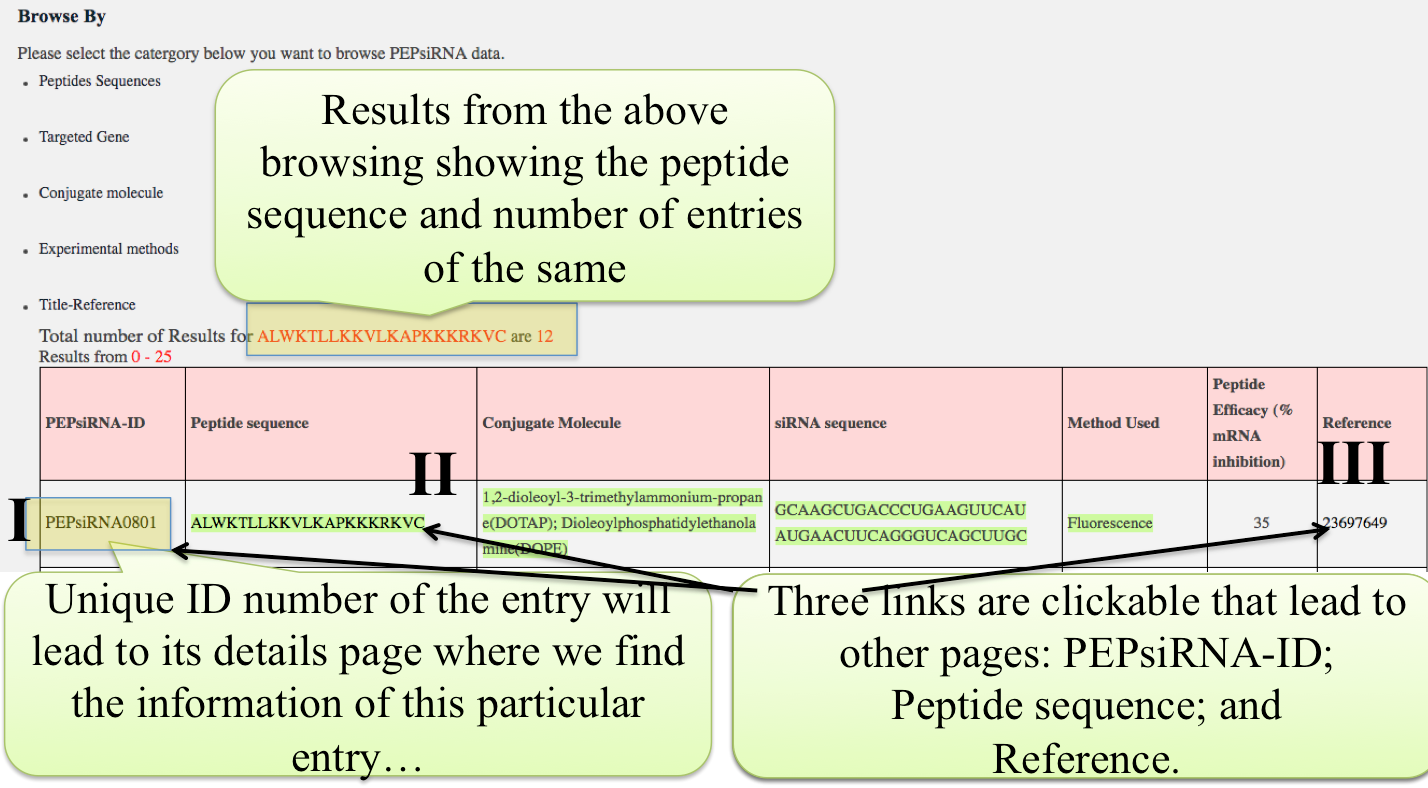
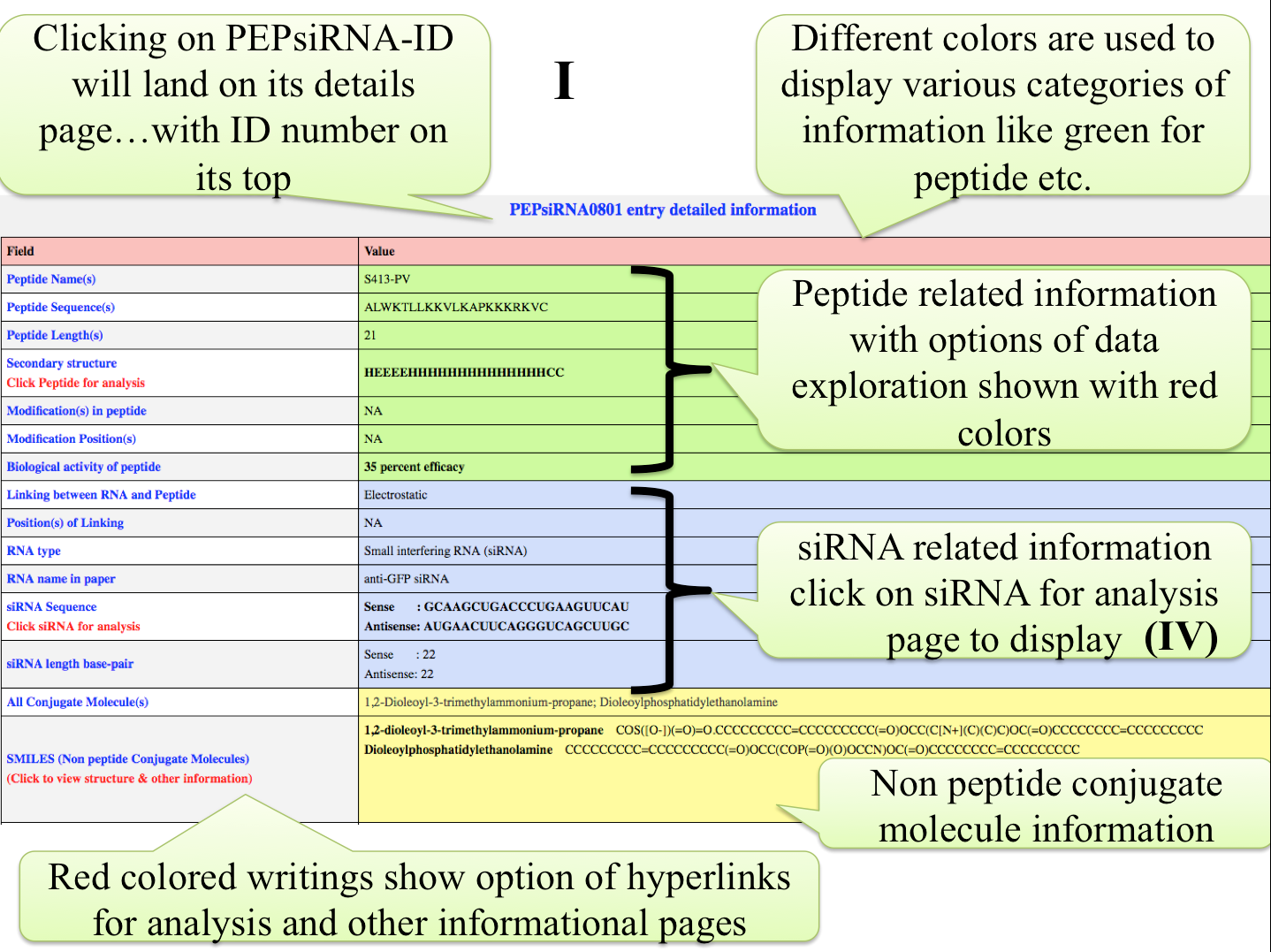
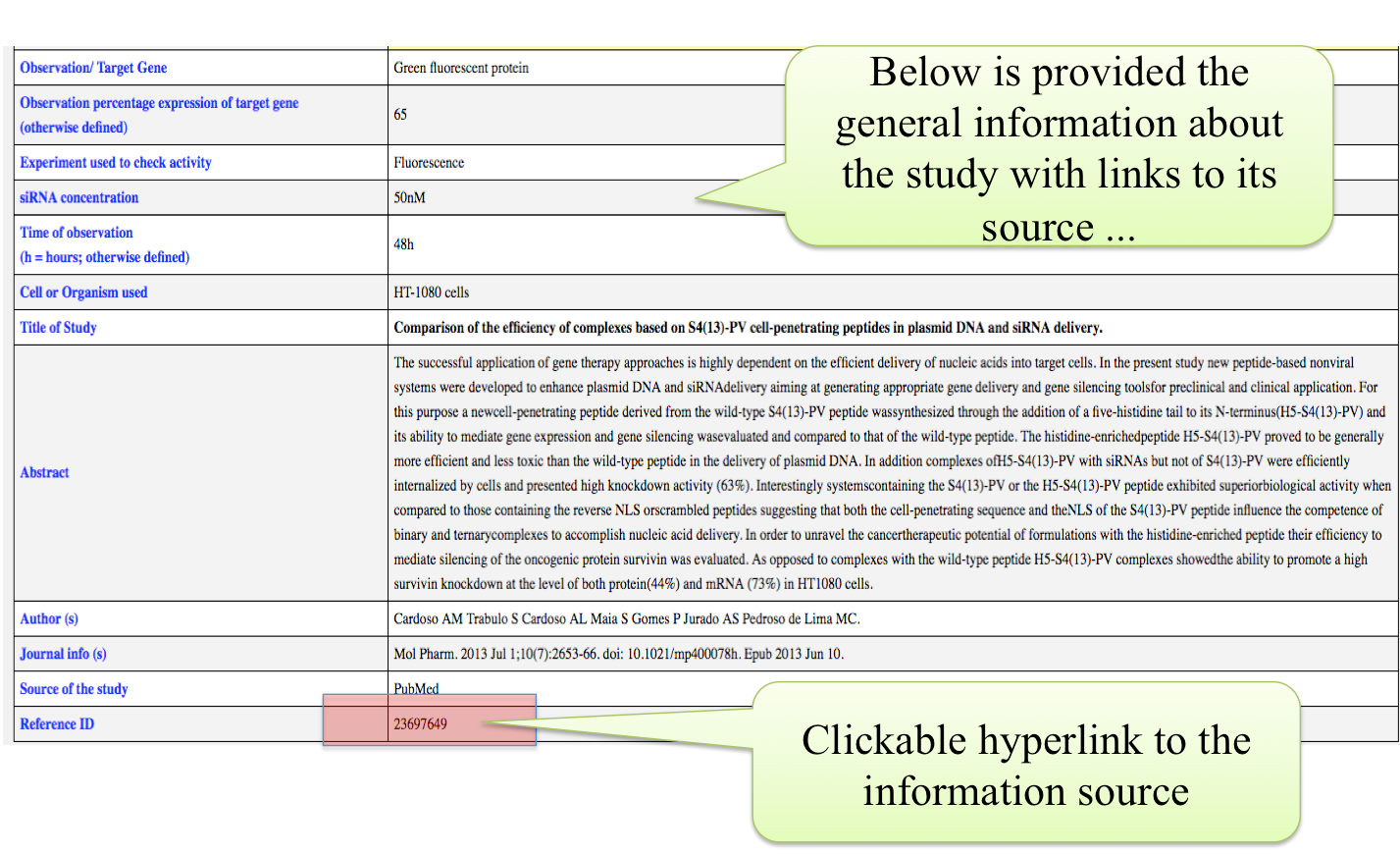
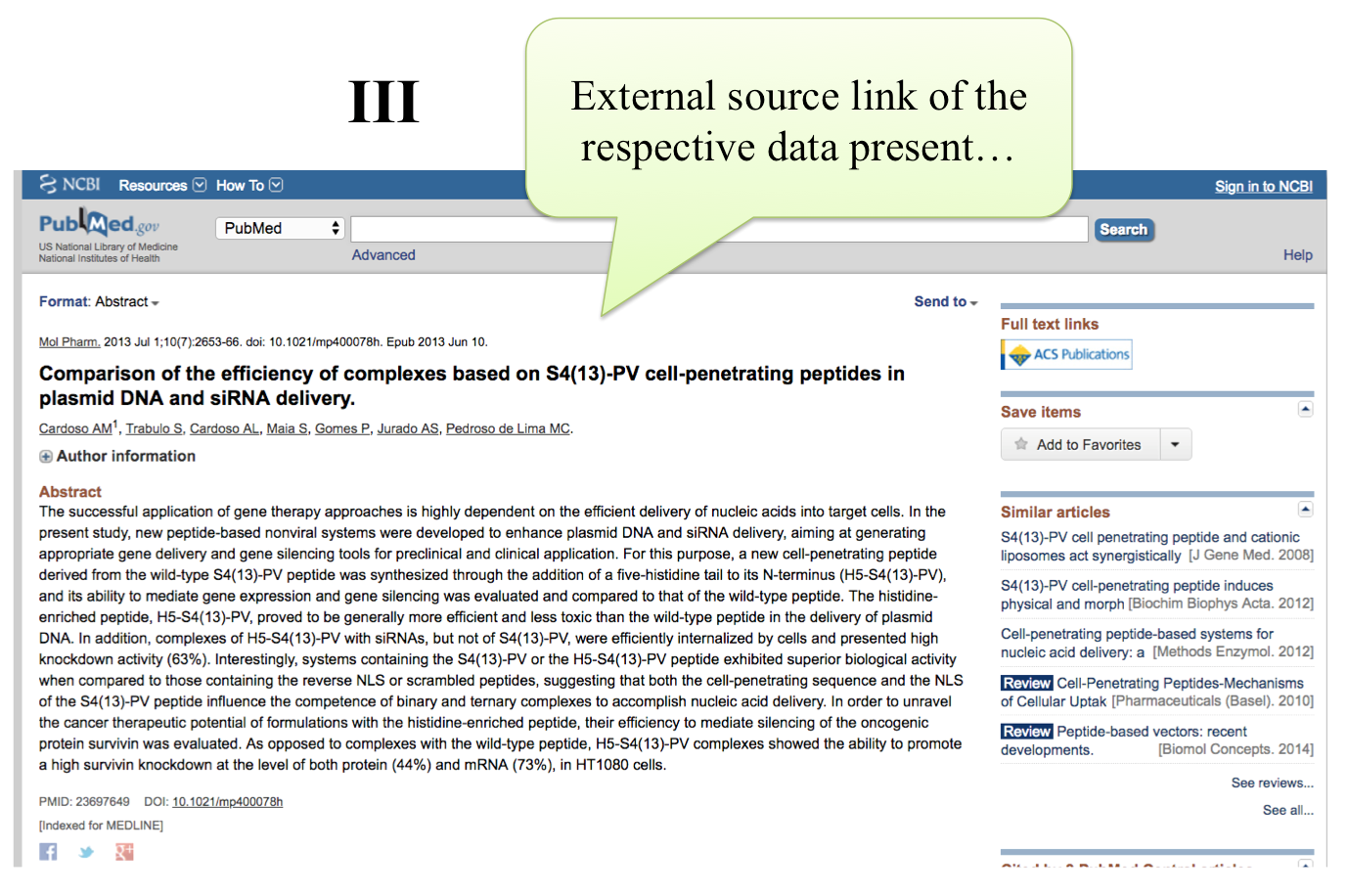
Select one option like peptide sequence and list of all (but unique) peptides will be listed and click on any peptide to get list of entries of that particular peptide in tabular form with some fields displayed.
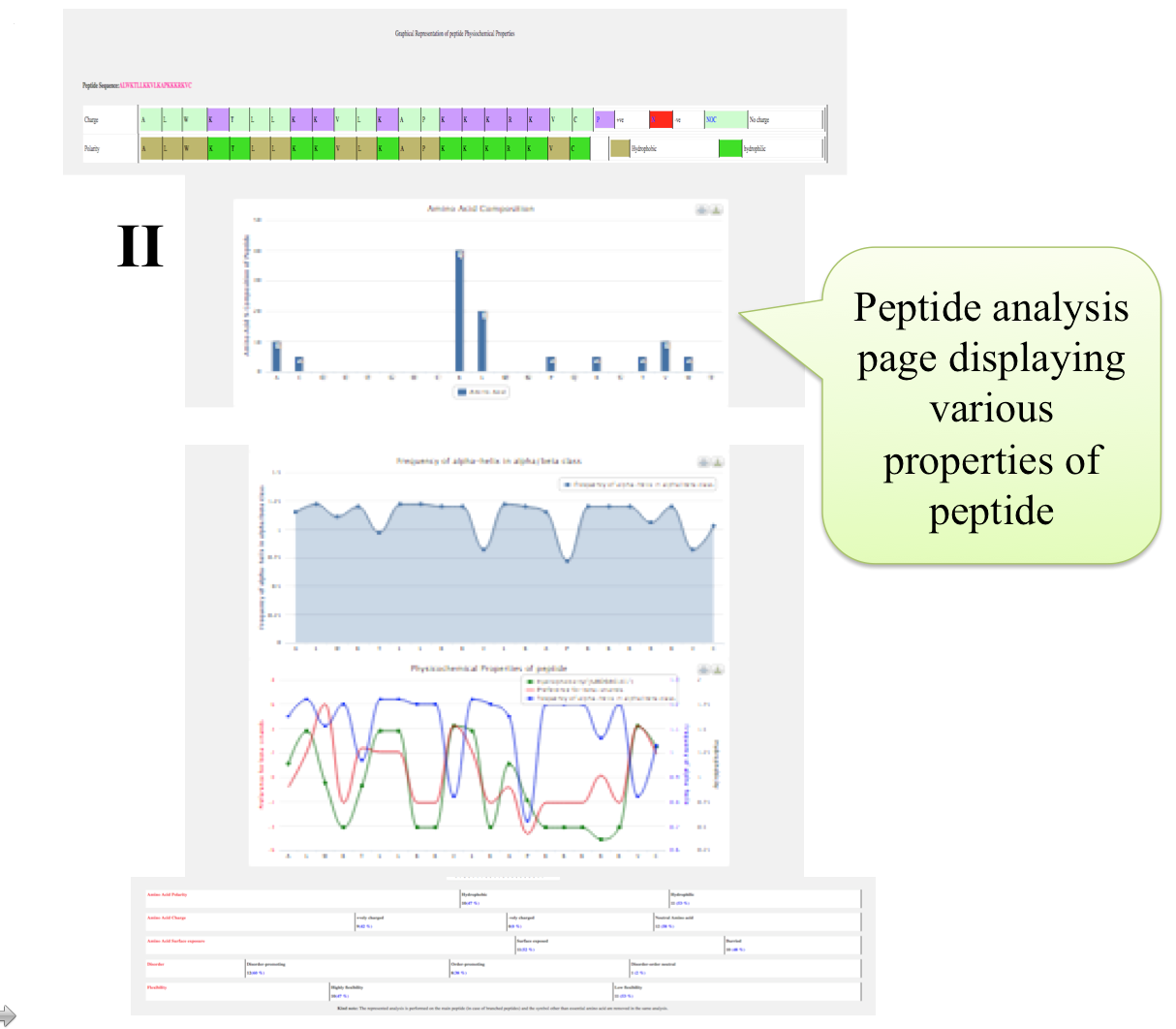
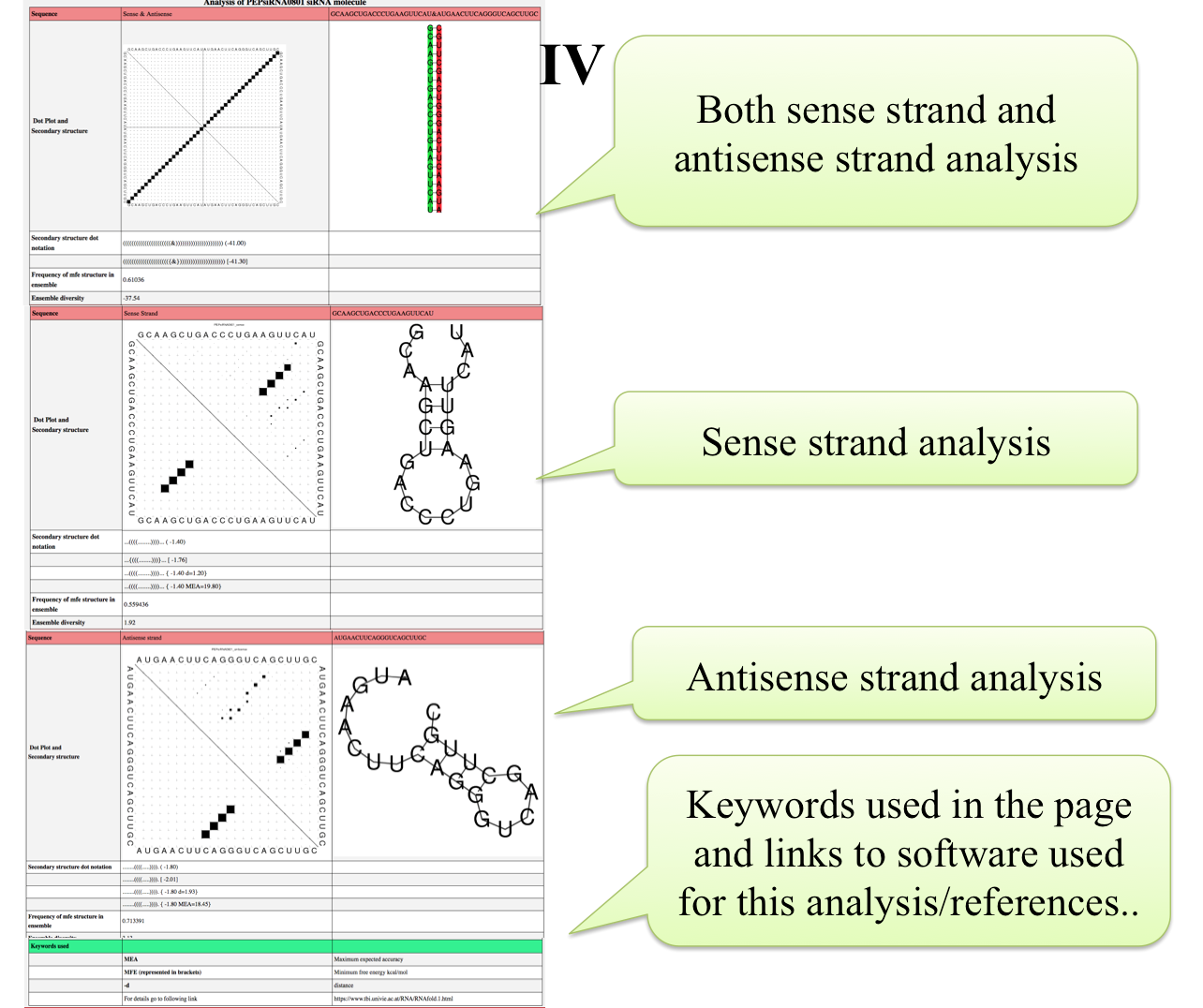
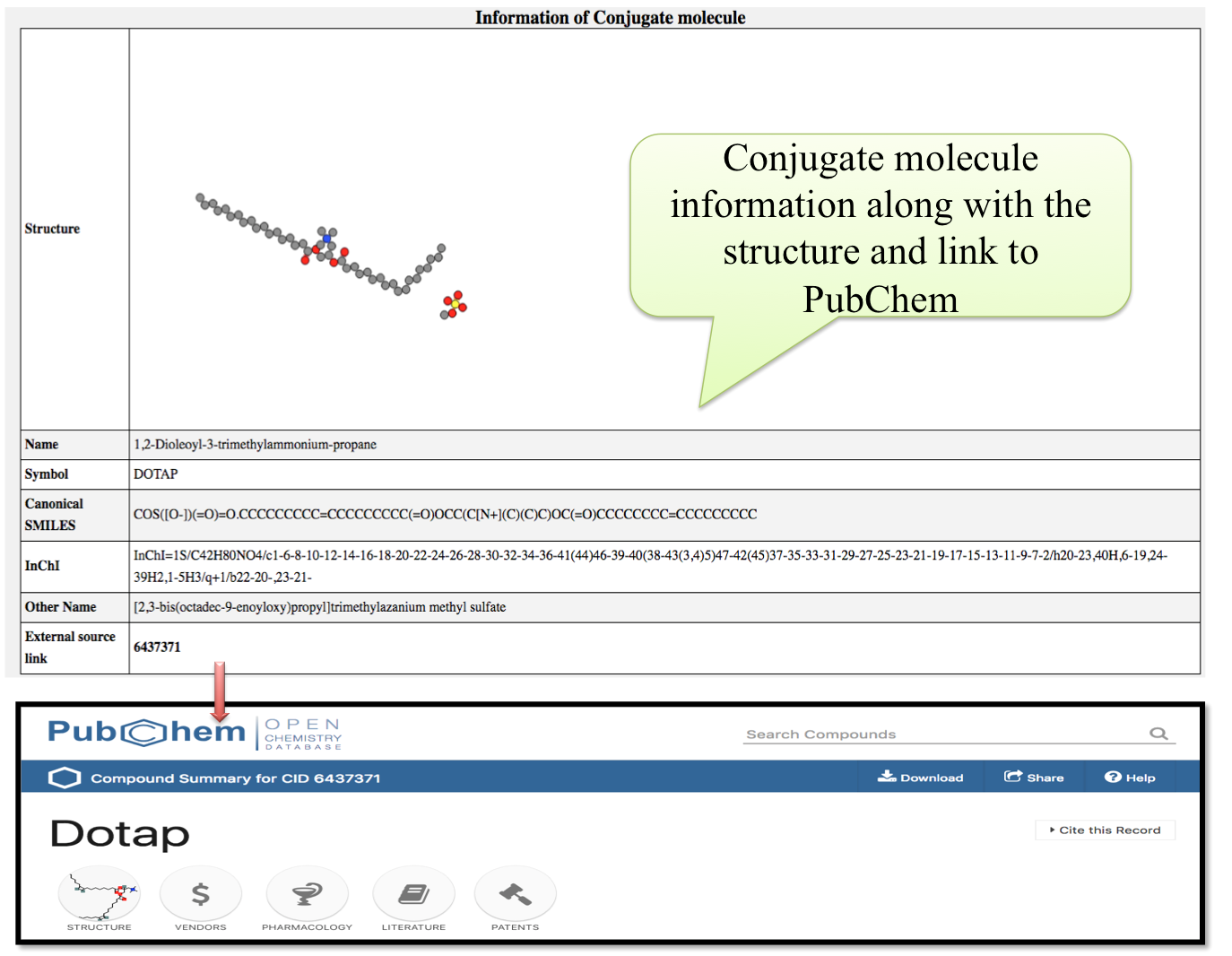
(B) Search option working
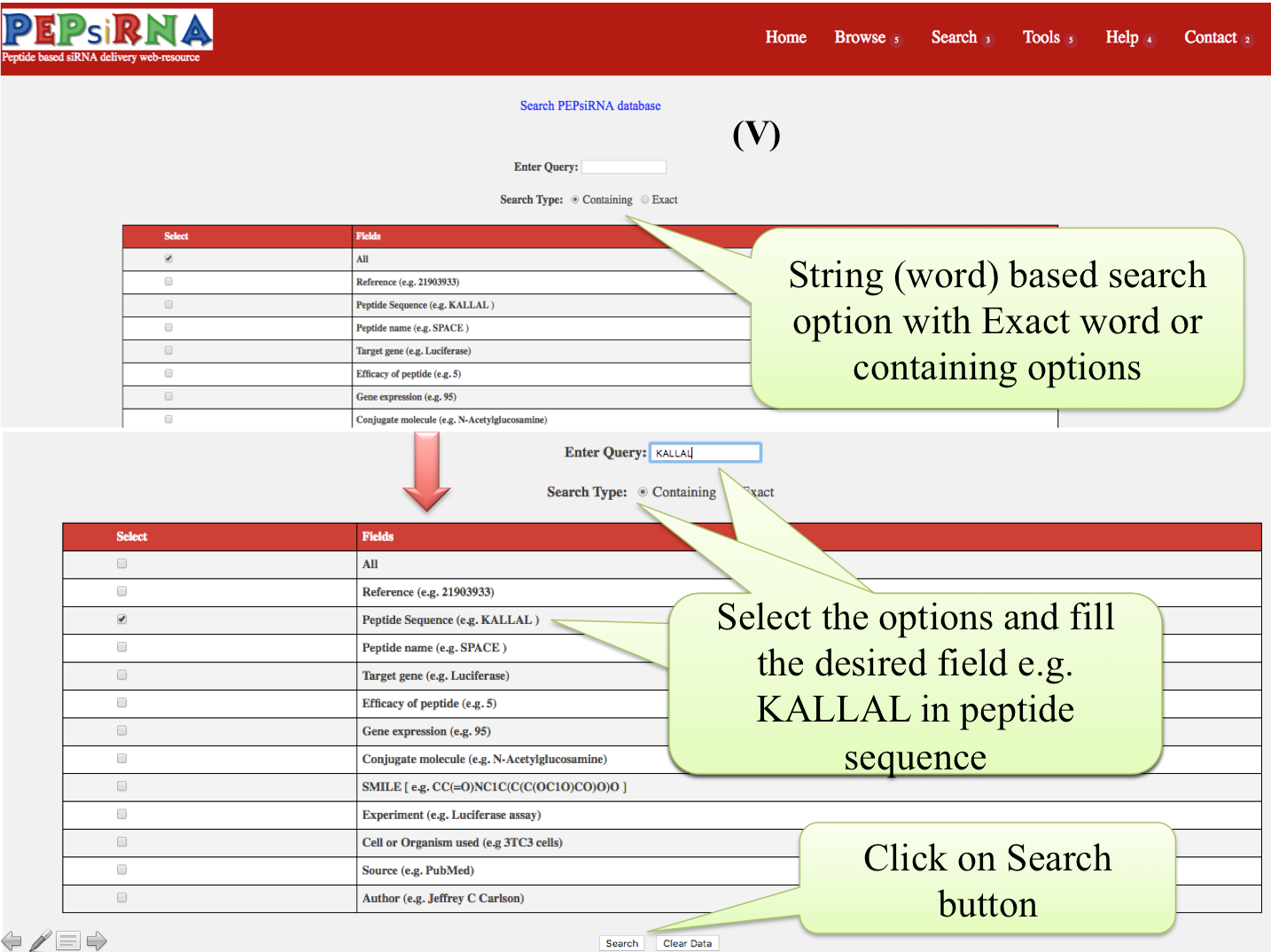
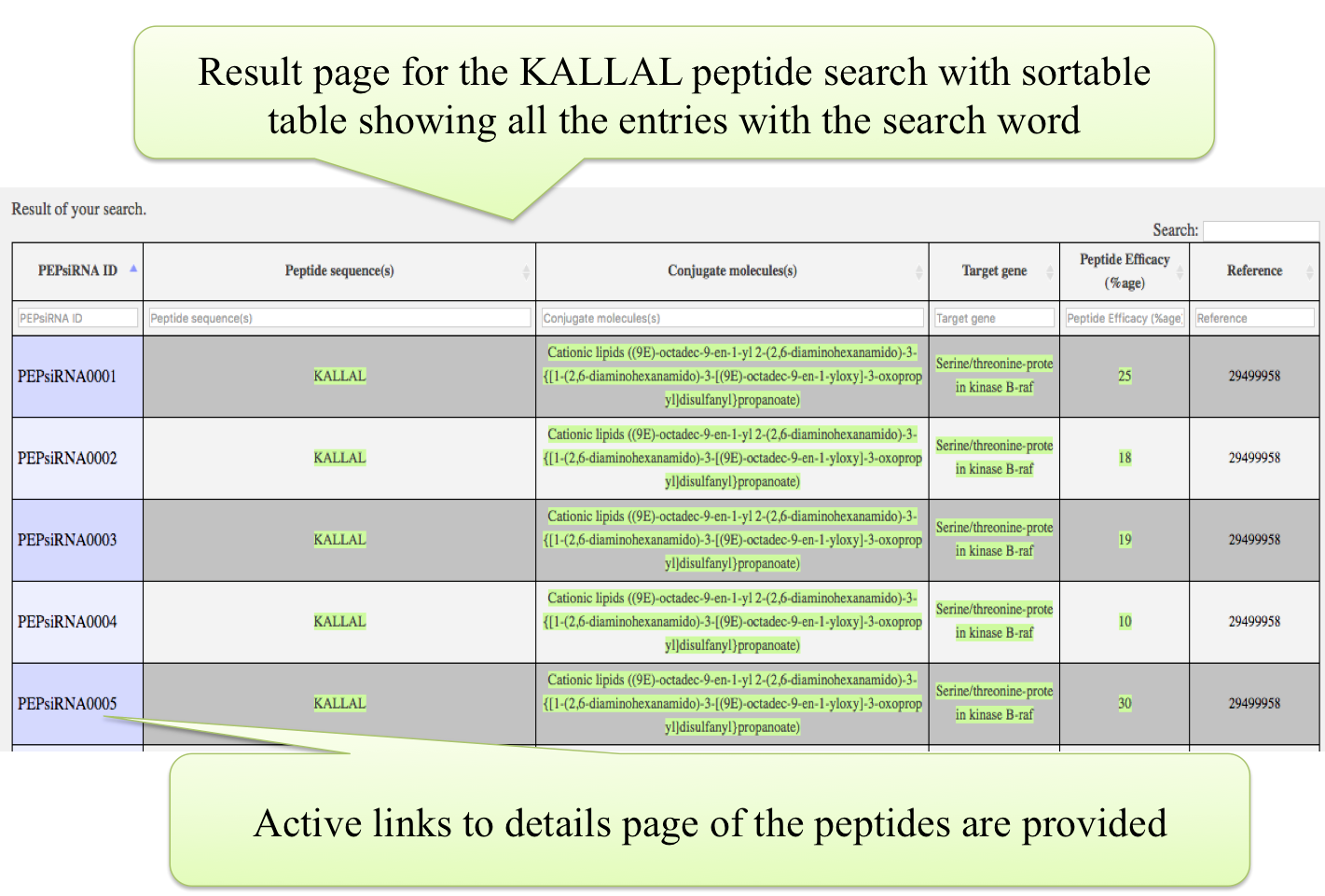
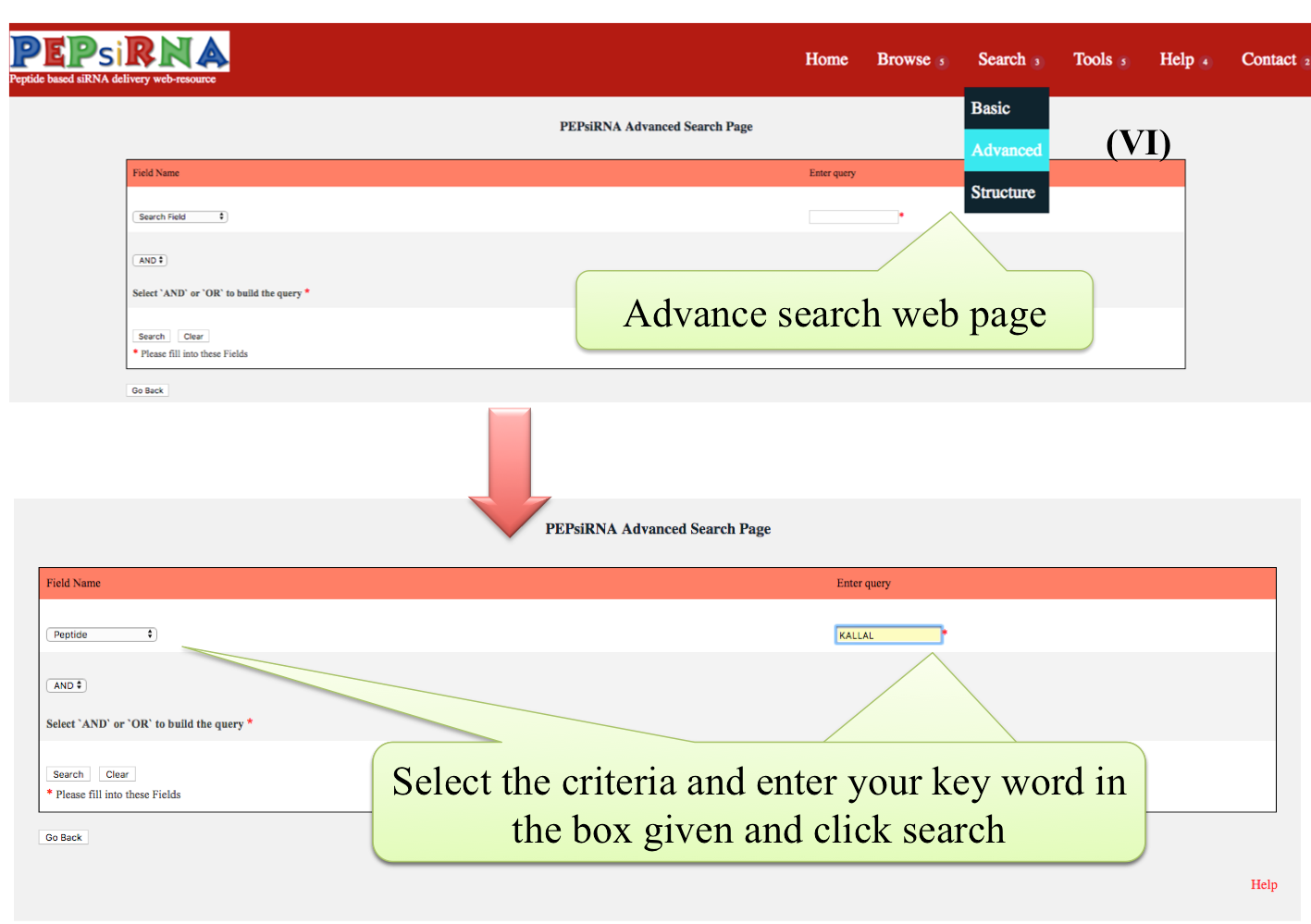
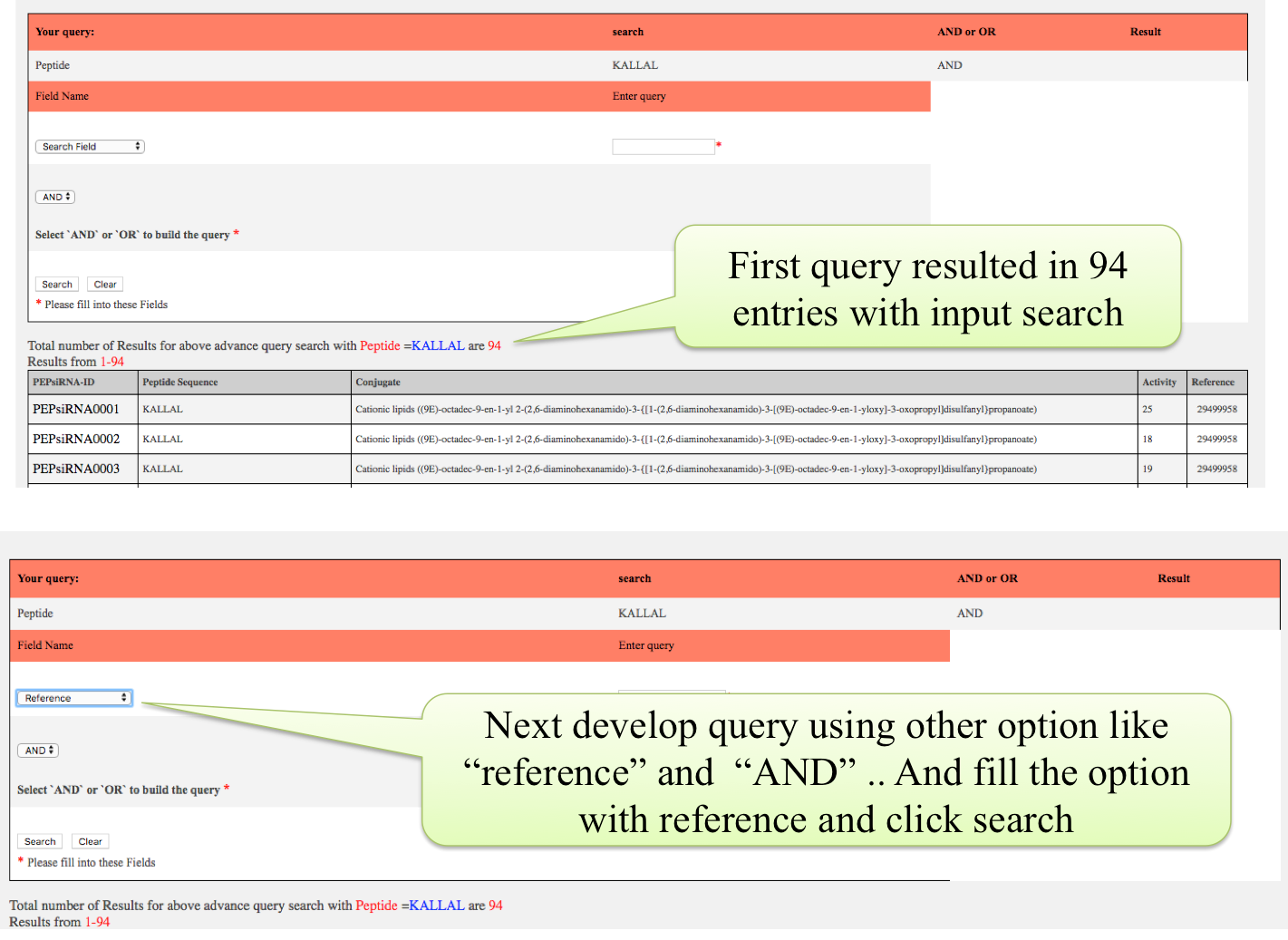
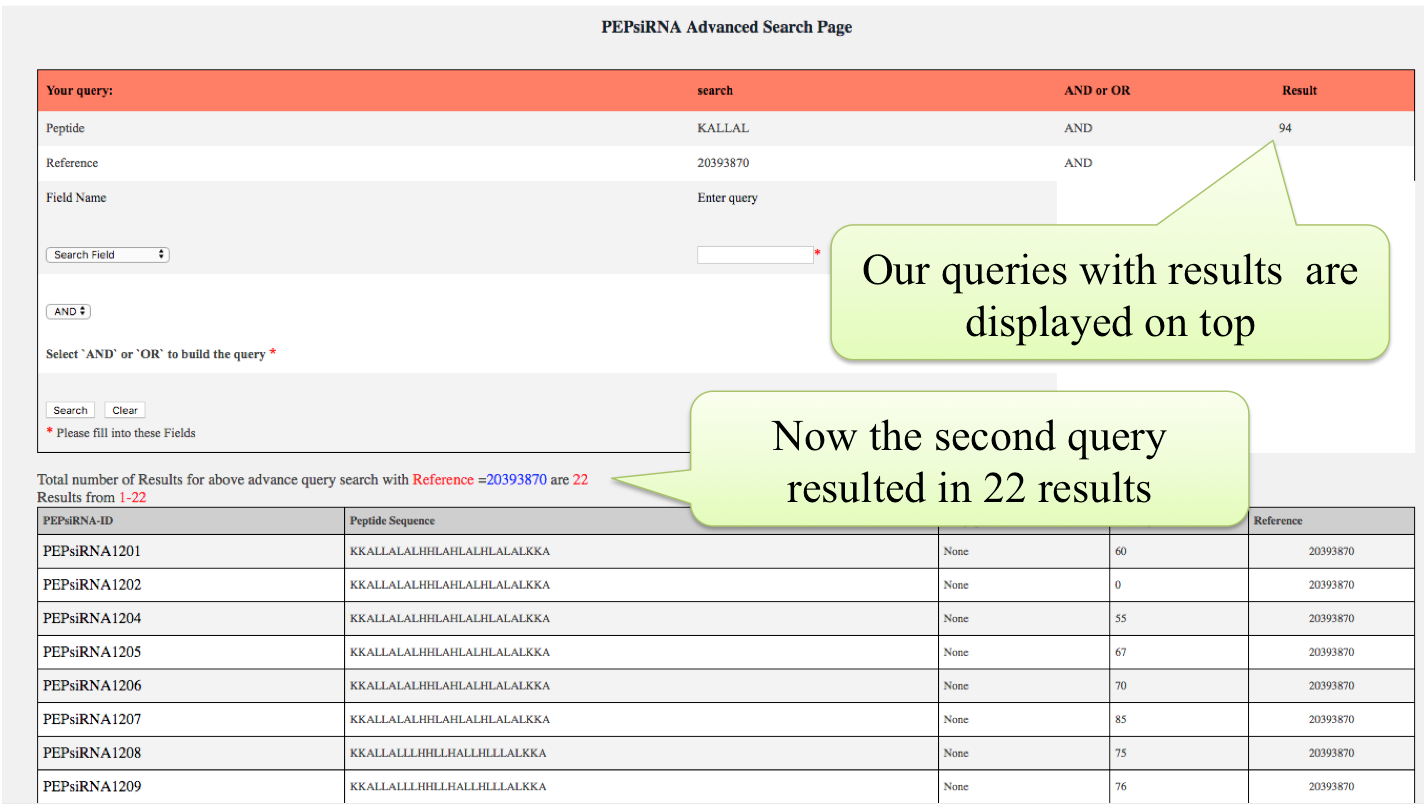
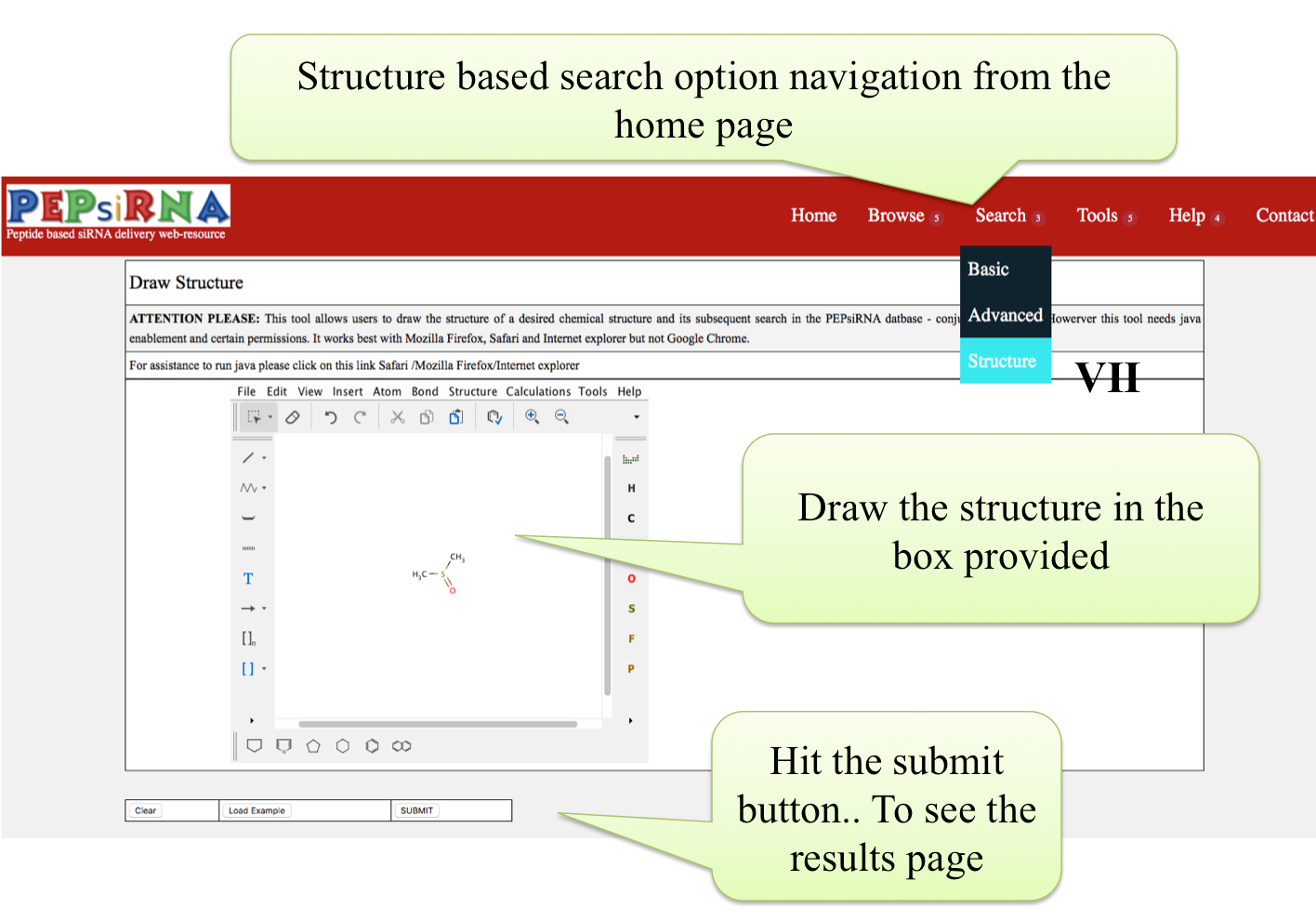
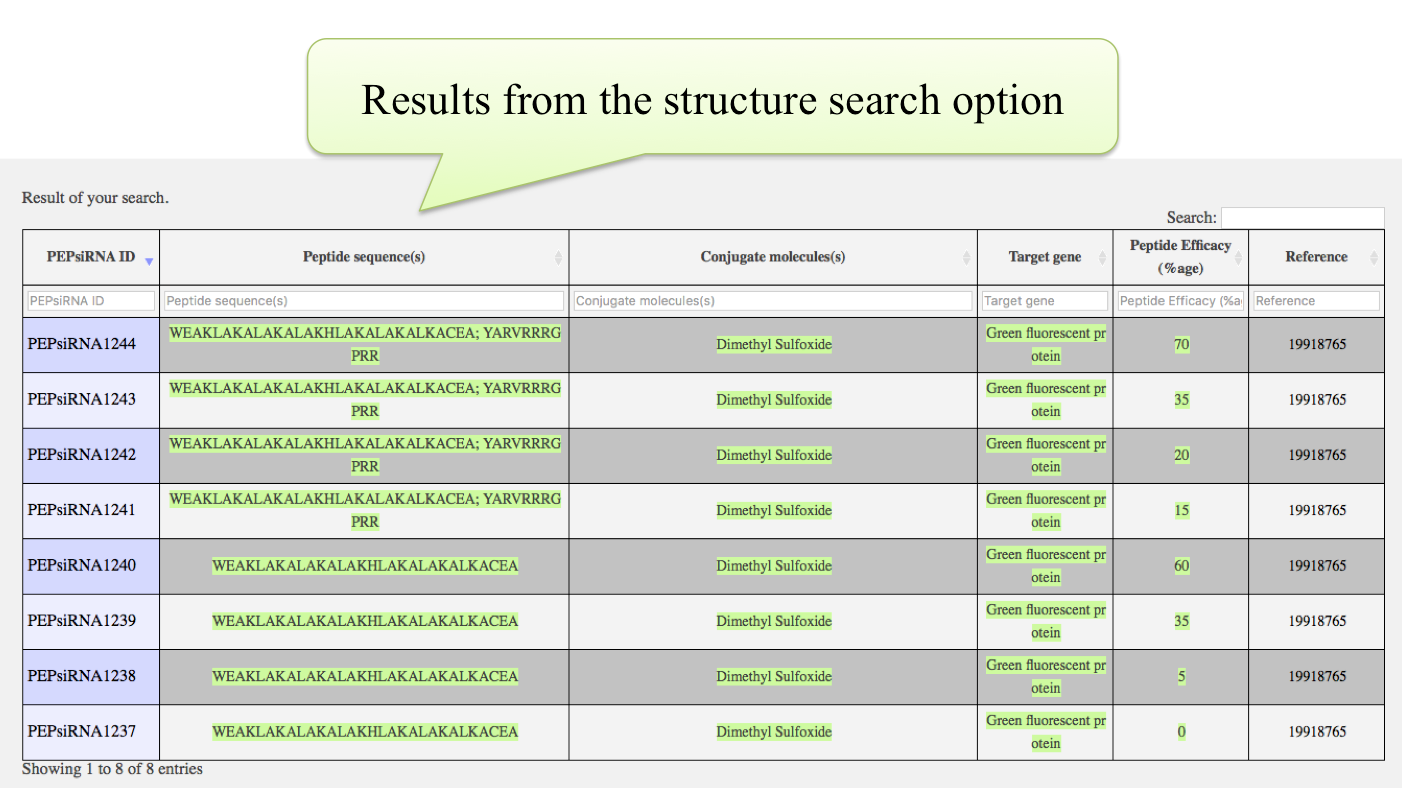
Next level of exploring the data is the search option in which the users search for the particular type of data. There are three options for data searching "Simple" search , "Advanced" Search and "Structure" based search as shown below:
(C) Tool options
Five important tools are provided in the "Tools" category to search and analyse the user provided data with the data present in the database. All these options are shown below:
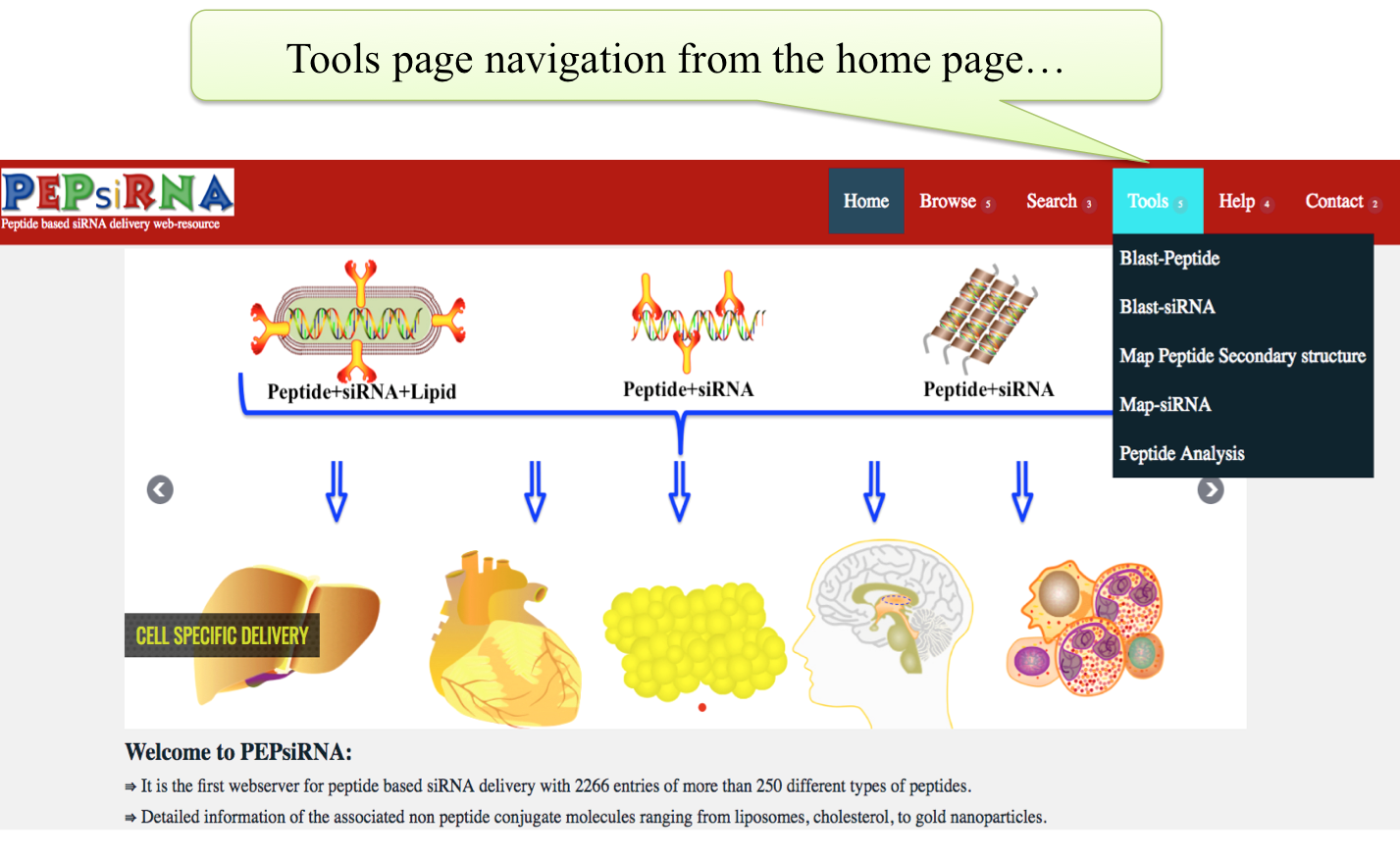
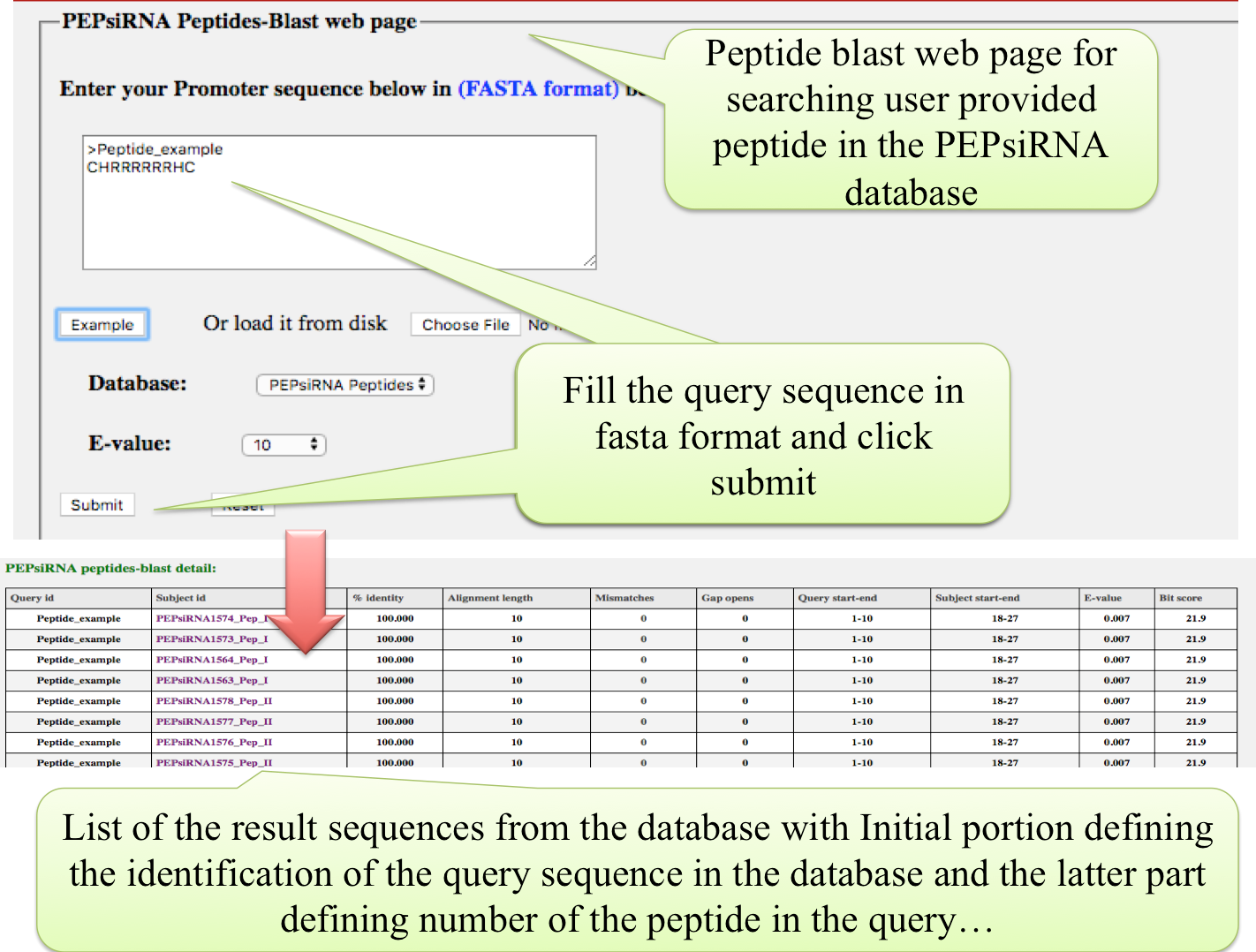
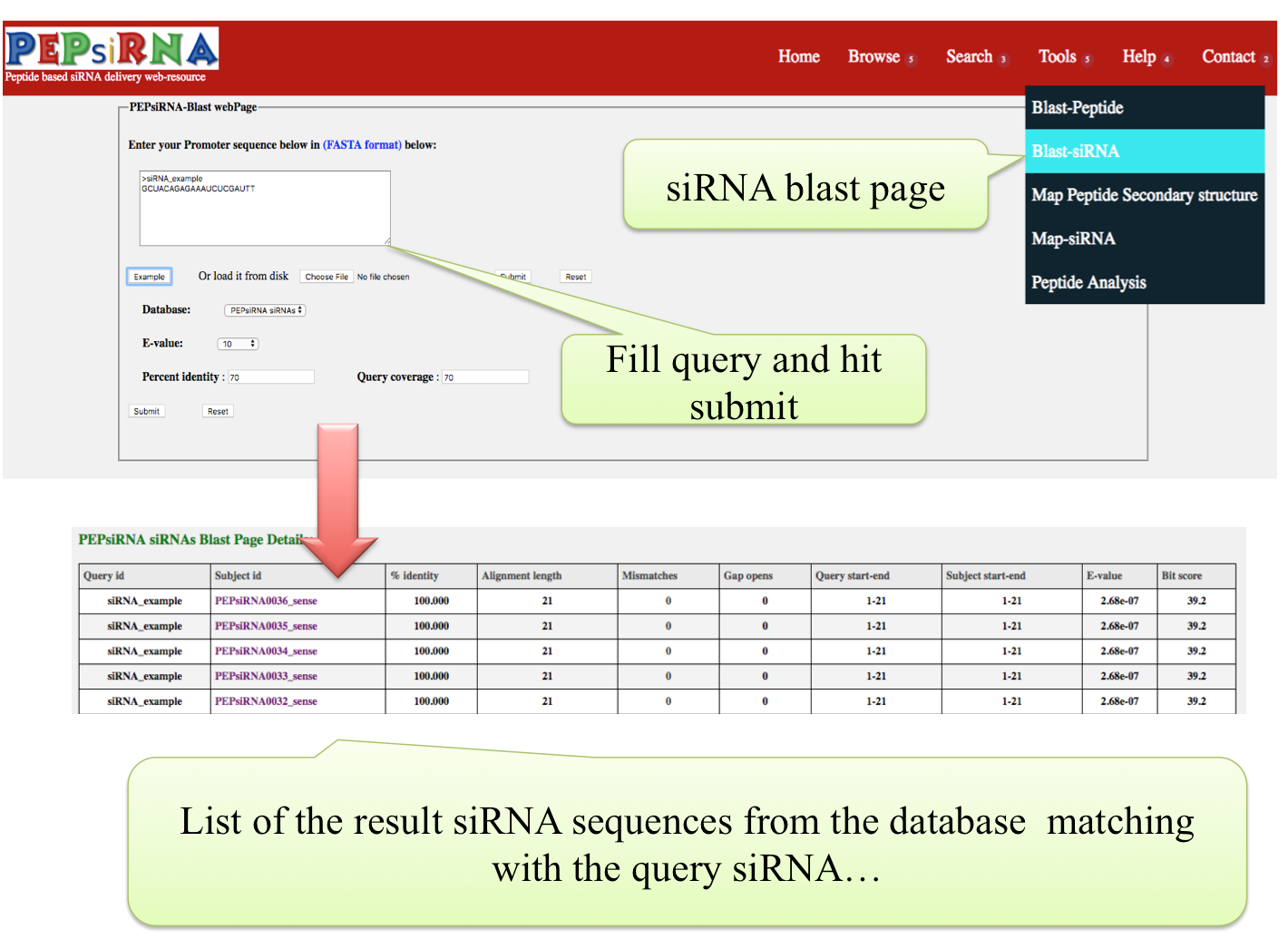
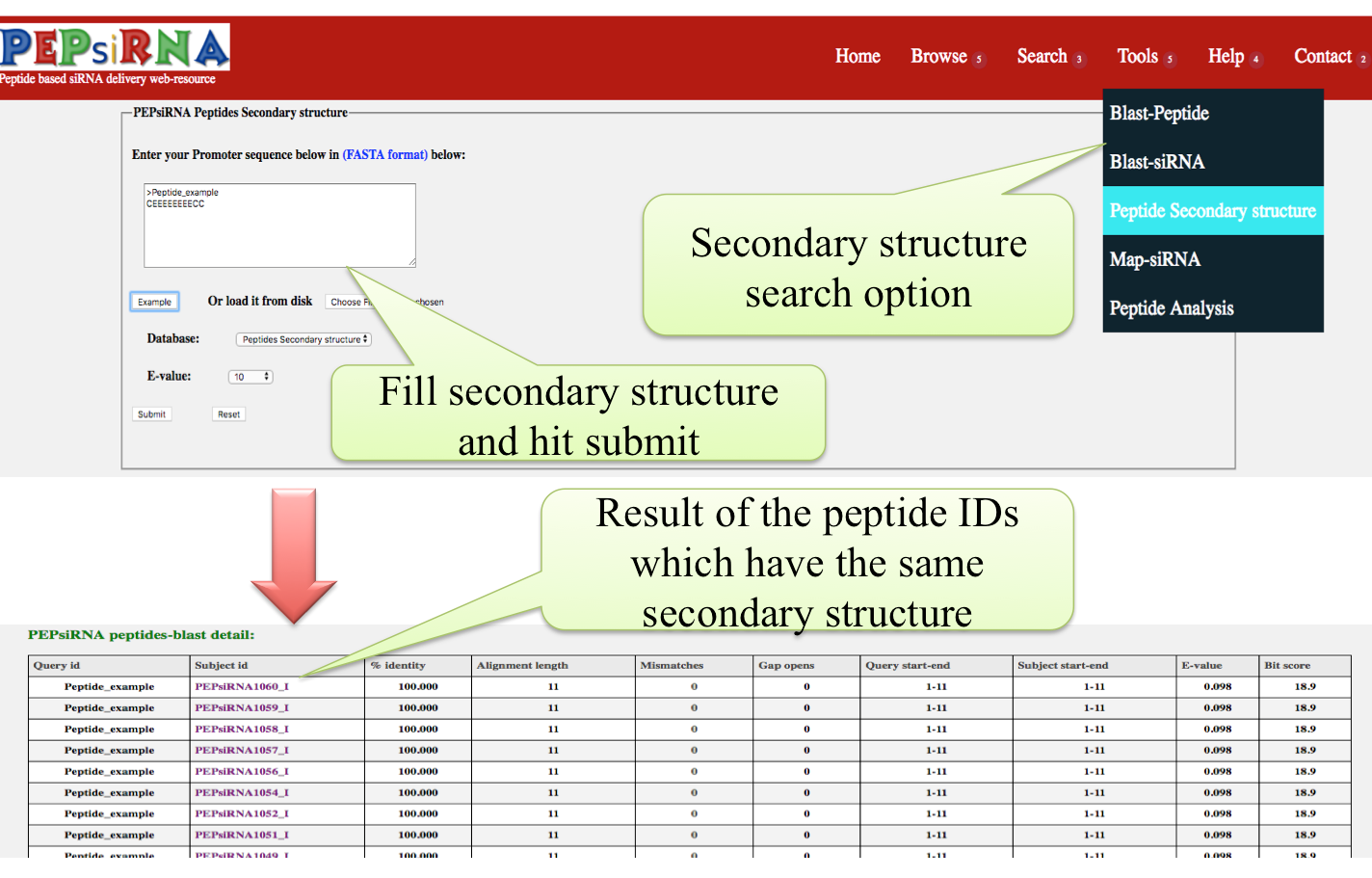
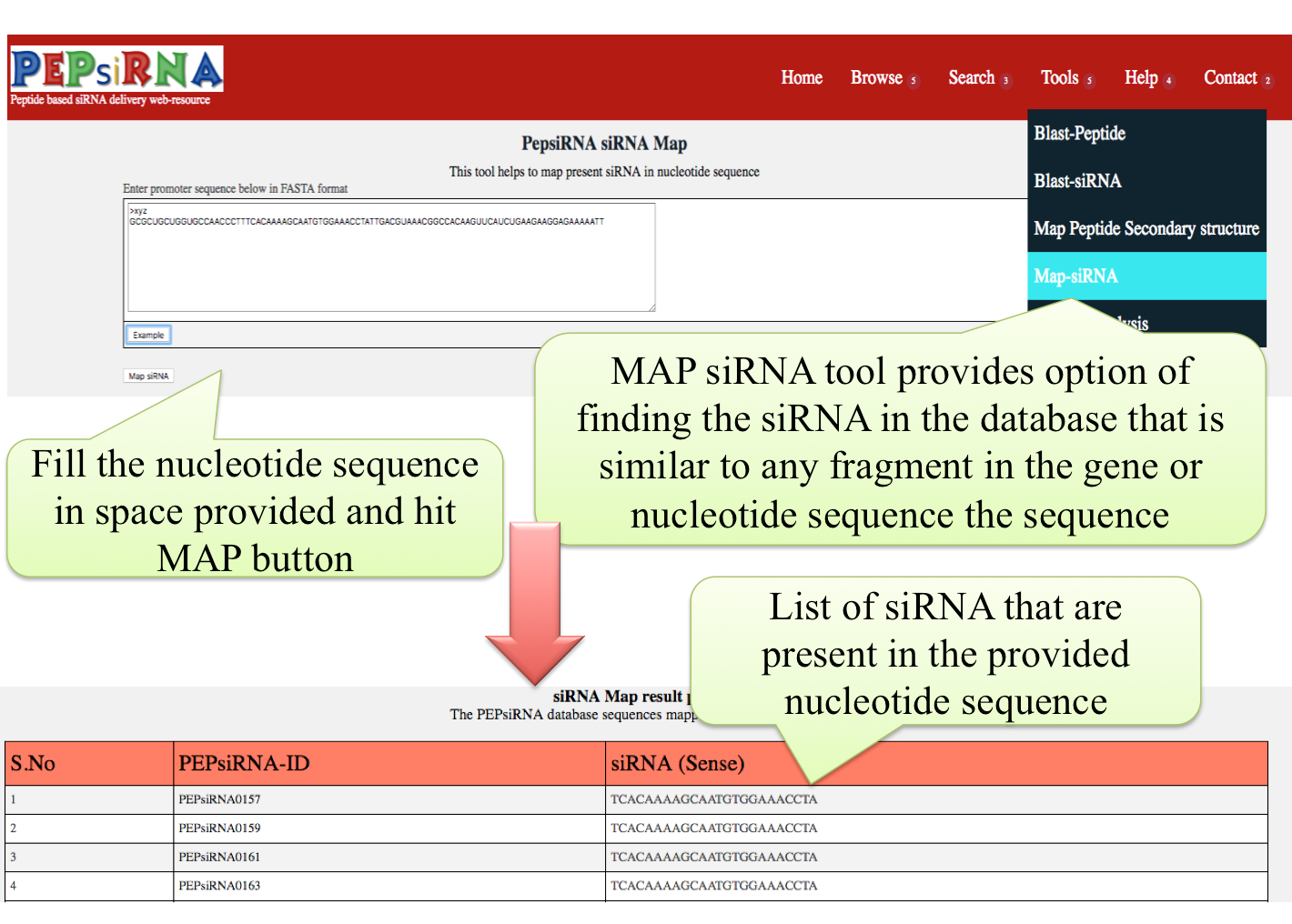
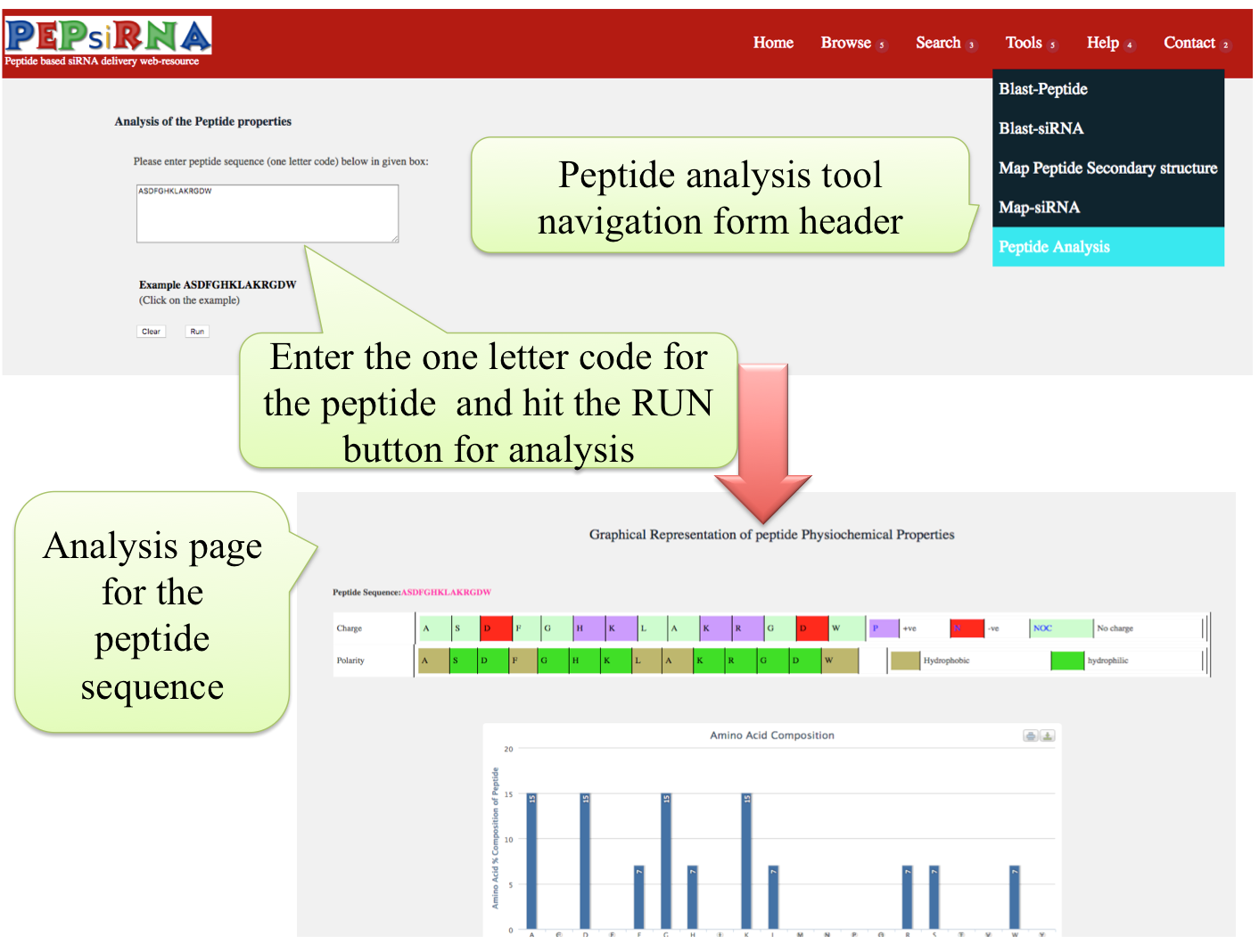
Other informational and contact options are provided on the other tabs ( under the headings of "Help" and "Contact" ) accessible from the header of the resource.